
What the Work Board Is
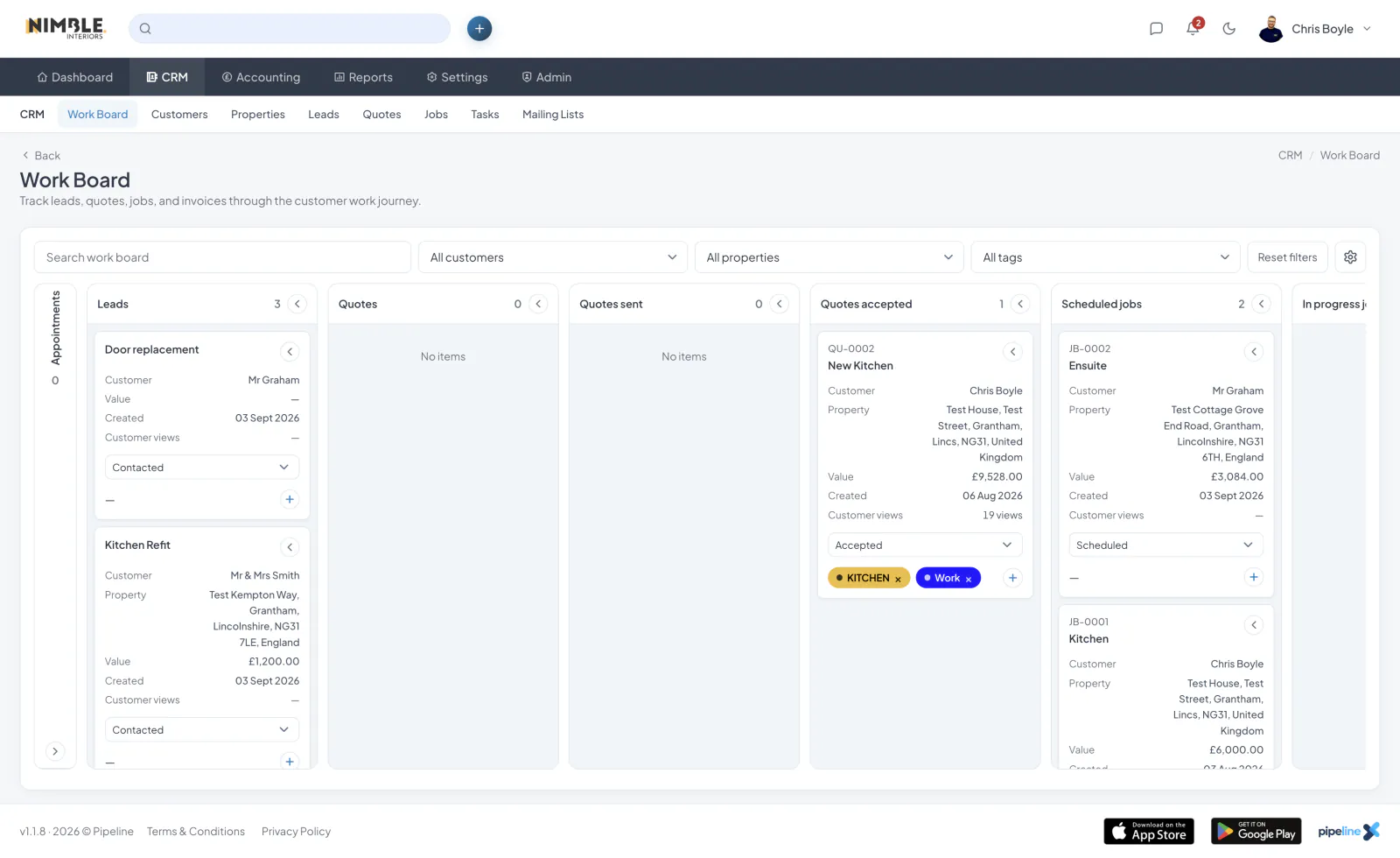
The Work Board is a Kanban-style overview of your whole operation. It has a fixed-height layout with individually scrollable columns, so you can see everything without losing your place.
Columns
Columns cover your pipeline end to end: appointments, leads, quotes, quotes sent, quotes accepted, scheduled jobs, in-progress jobs, invoices, invoices paid, declined quotes and completed jobs.
Search and Filters
Filter the board by customer, property or tag, and search to find a specific card. Your filters and column settings persist between visits.
Showing, Hiding and Reordering Columns
Choose which columns are visible, and drag columns into the order that suits you. The order is saved.
Acting from a Card
Update a status directly from a card, and add or manage tags without opening the record. Appointment cards appear in the appointments column, and quote cards can show customer view counts where relevant.